

Access Control Firewall Assessment
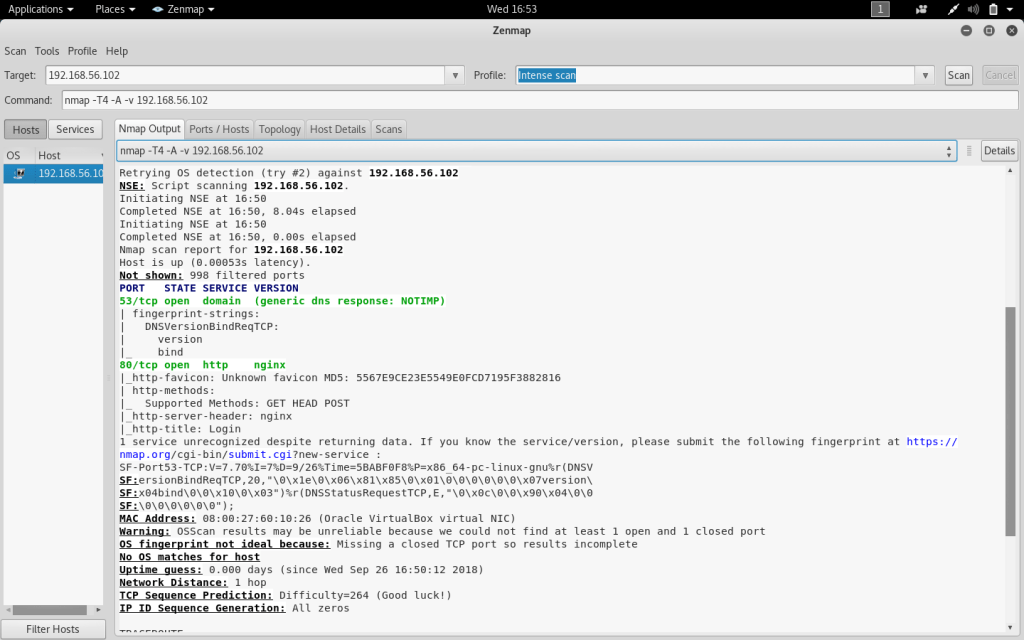
After installation, the PFsense firewall has been configured to the internal network along with the Kali Linux VM. An initial port scan using Zenmap details the open and closed ports on the firewall at IP address 192.168.56.102. The results of the scan show that there are currently only two open ports on the firewall.
Port 53 is an open TCP port used for domain services on the firewall. The default configuration for Port 53 on a firewall is for it to be open to allow DNS traffic. Port 80 is an open TCP port used for HTTP services on the firewall. Port 80 is configured to be open by default in order to receive traffic from web clients. The HTTP port can be configured to be closed in the case of needing to block external traffic from a web server.
PFSense Post-Installation Configuration.
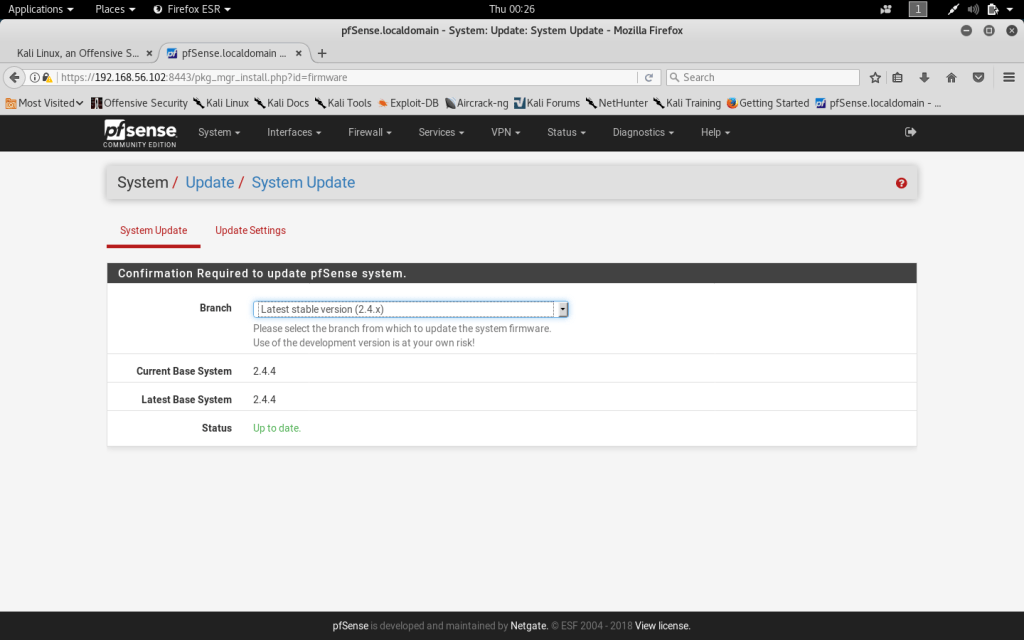
The first step necessary in configuring the firewall settings is to update the system to the latest stable version. At this point, the installed firewall is running on out of date software and needs to be updated to the latest version 2. 4 x. This can be accomplished by selecting “update” under the System tab in the menu bar.
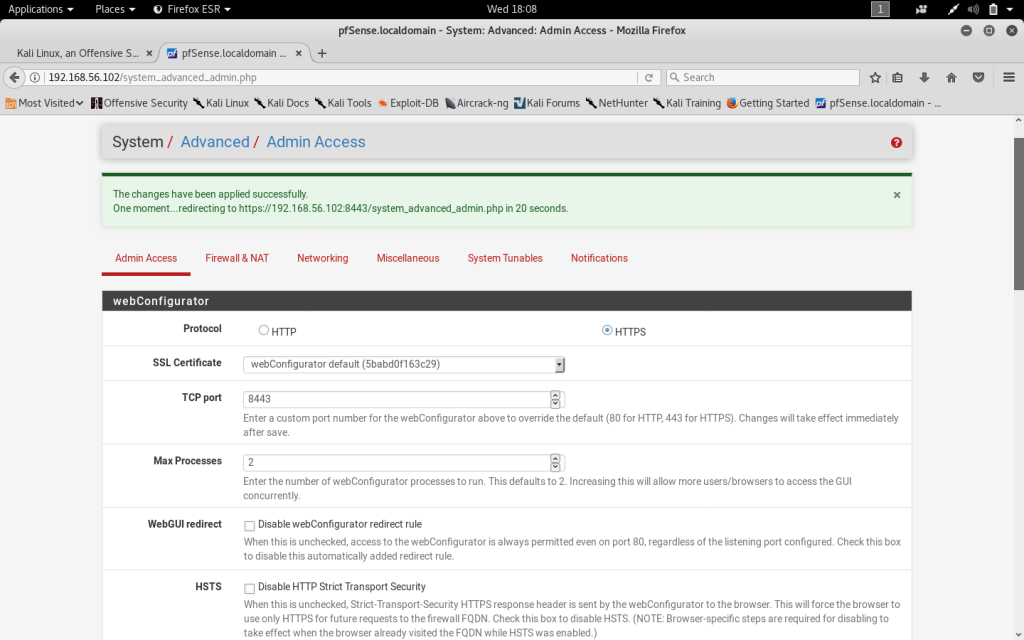
Accessing the configuration for HTTPS can be done through the System tab under the admin access tabs. The Protocol has been changed to HTTPS and the port set to 8443. The web configurator will now use HTTPS instead of the less secure HTTP.
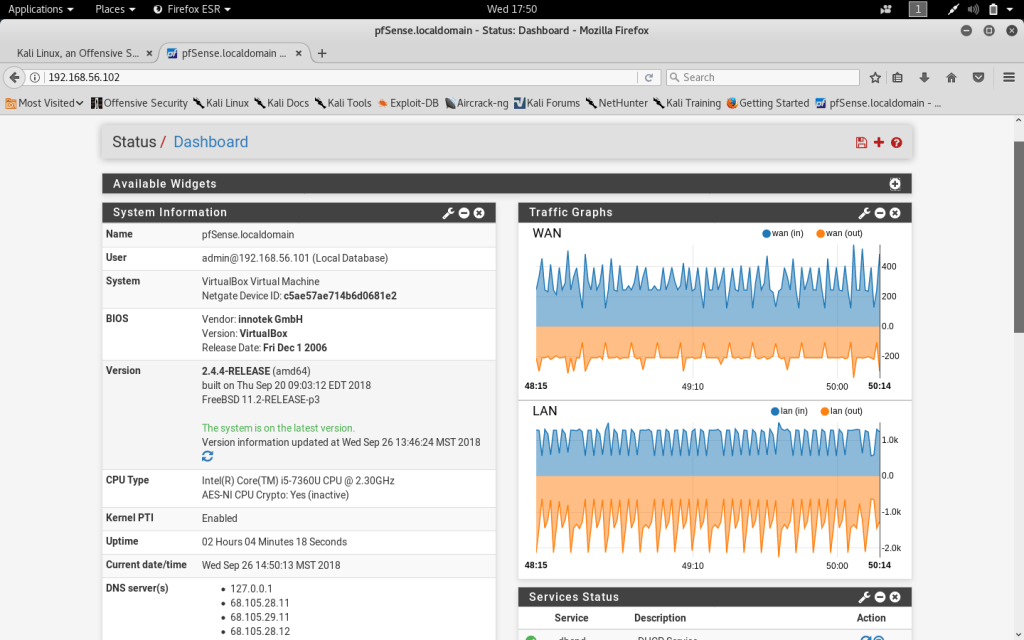
A broad view of the system status and interface traffic can be seen within the Dashboard feature. The Dashboard can be accessed within the Status tab and can be customized with widgets depending on what information the firewall admin would like to access. I have added the traffic graph onto the dashboard which displays real time graphs of WAN and LAN traffic.
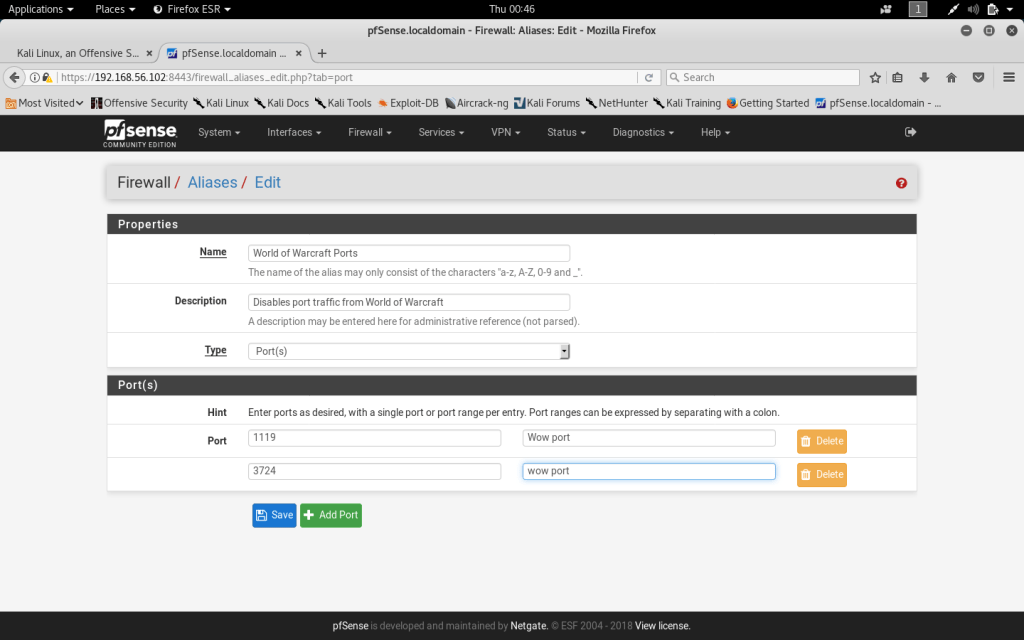
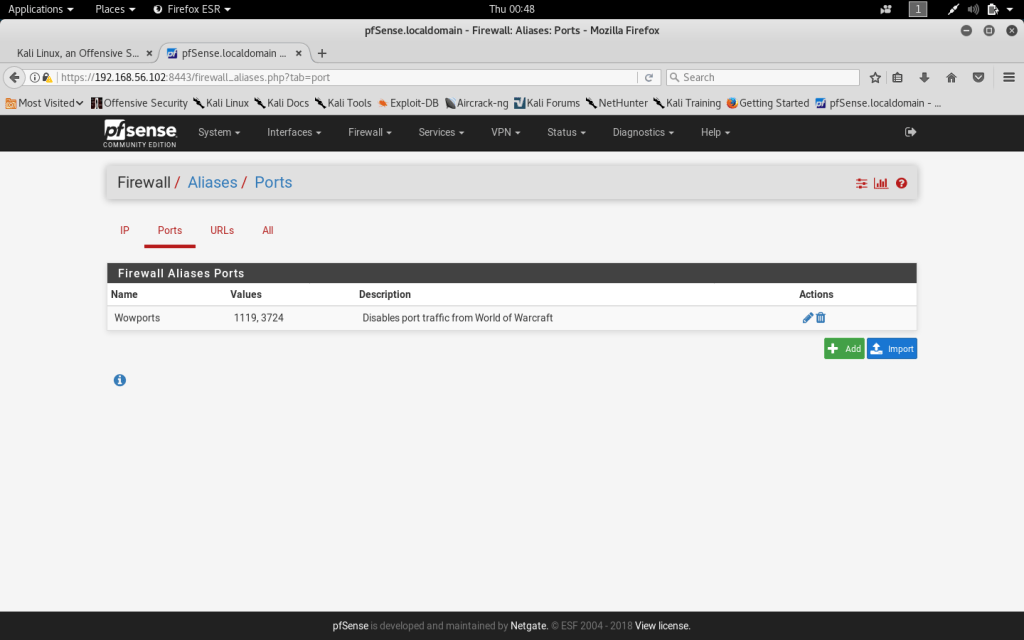
To disable port traffic for World of Warcraft an Alias needs to be created for World of Warcraft ports. Aliases can be created and edited within the Firewall menu. I have created a port Alias for World of Warcraft and have included ports 1119 and 3724 which are known WoW ports. Under the Firewall menu, rules can be created and edited. I created a rule that blocked traffic from the Alias made for World of Warcraft ports.
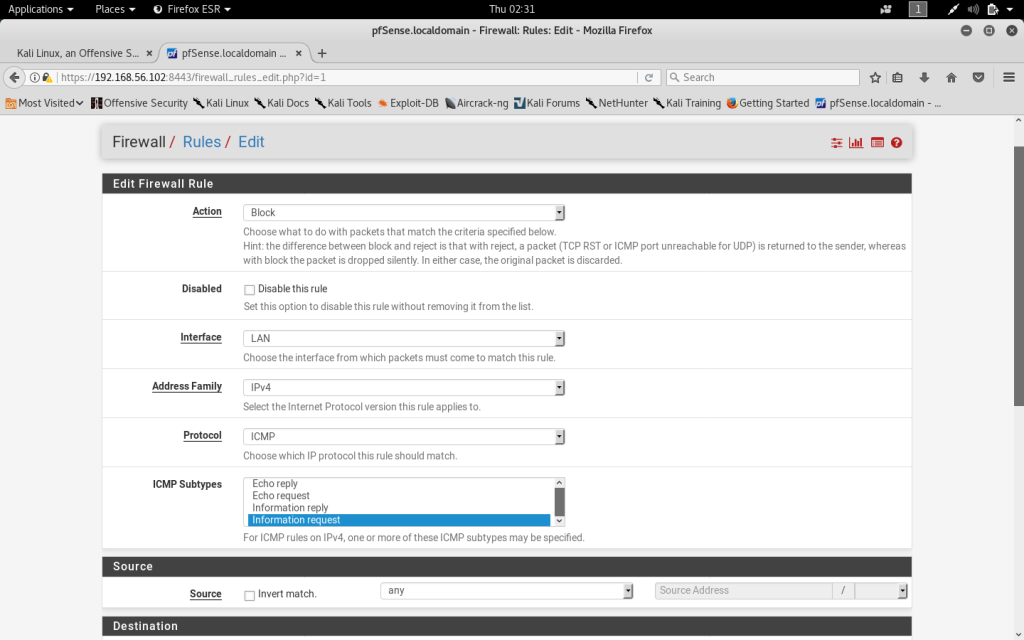
The ICMP protocol allows for “pings” to gather information regarding the Firewall by external users. I created a Firewall Rule that blocks ICMP information requests. This was completed by using the Rules settings in the Firewall menu tab.
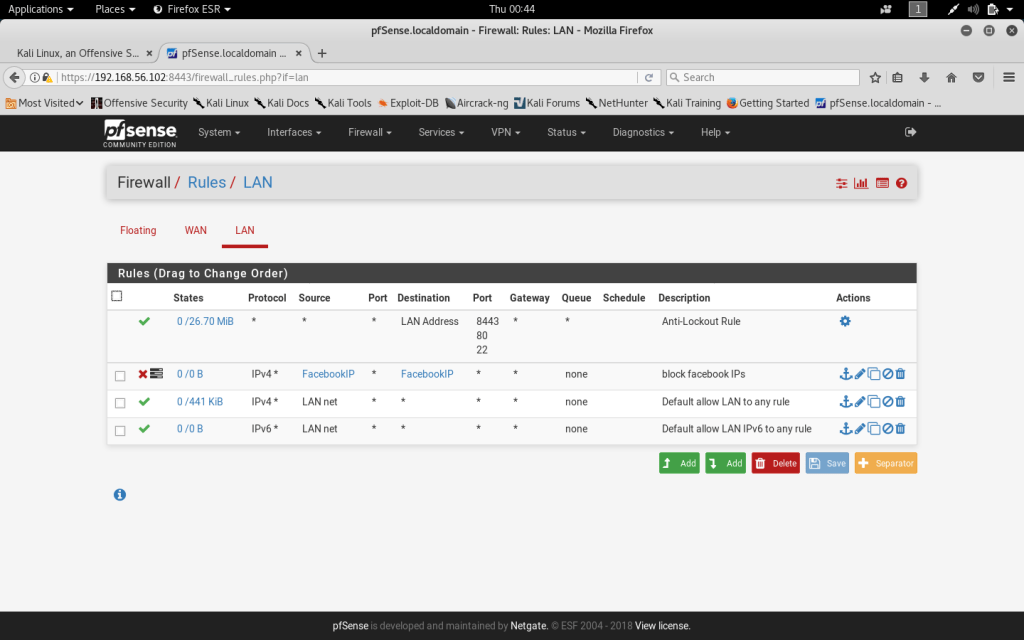
Due to security concerns, I have chosen to disable all traffic from the social media site Facebook. I created an alias for all known Facebook IP addresses and then created a rule to block the traffic from those addresses.
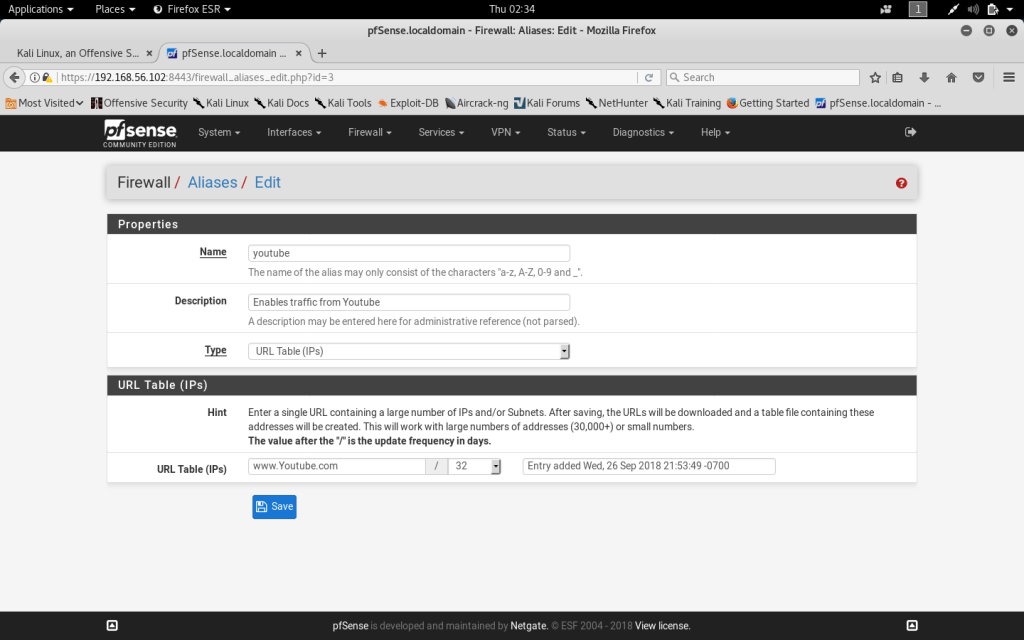
I have chosen to enable all domains for the video streaming website Youtube. To achieve this, an alias needs to be created for all Youtube IP addresses. I created a URL table of the Youtube domain and known youtube IP addresses. I then created a Firewall Rule on the WAN that allowed all traffic from the Youtube Alias. After saving the rule, it will show up on the Rules list.
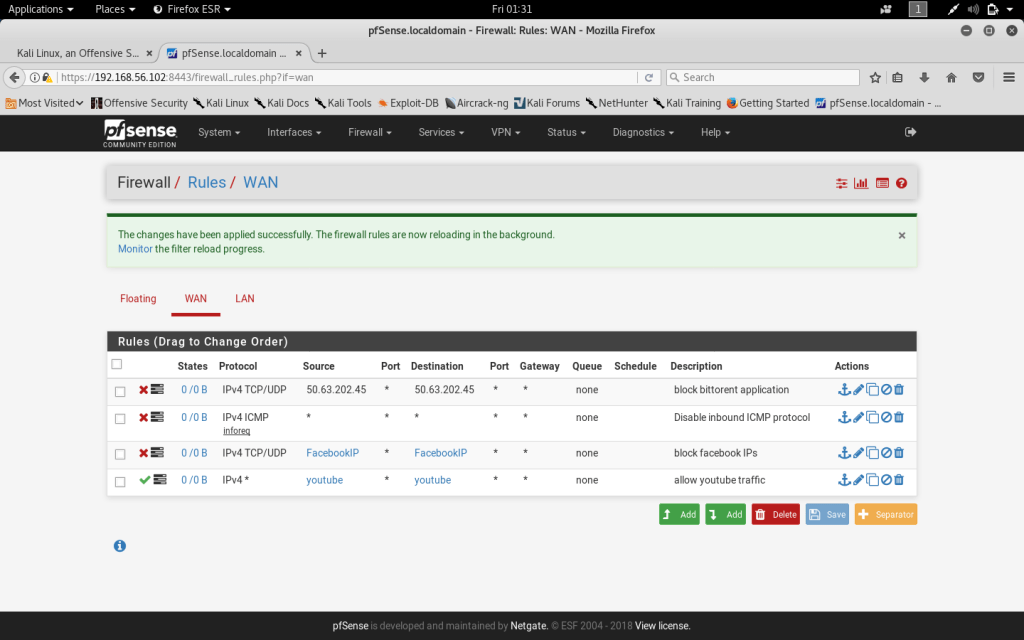
The following Firewall Rules have been created for the WAN. Youtube traffic is enabled from all known youtube IP’s. Facebook traffic has been blocked on the WAN. The IP address for the popular Bittorent application has been blocked. The ICMP protocol has been disabled as well.
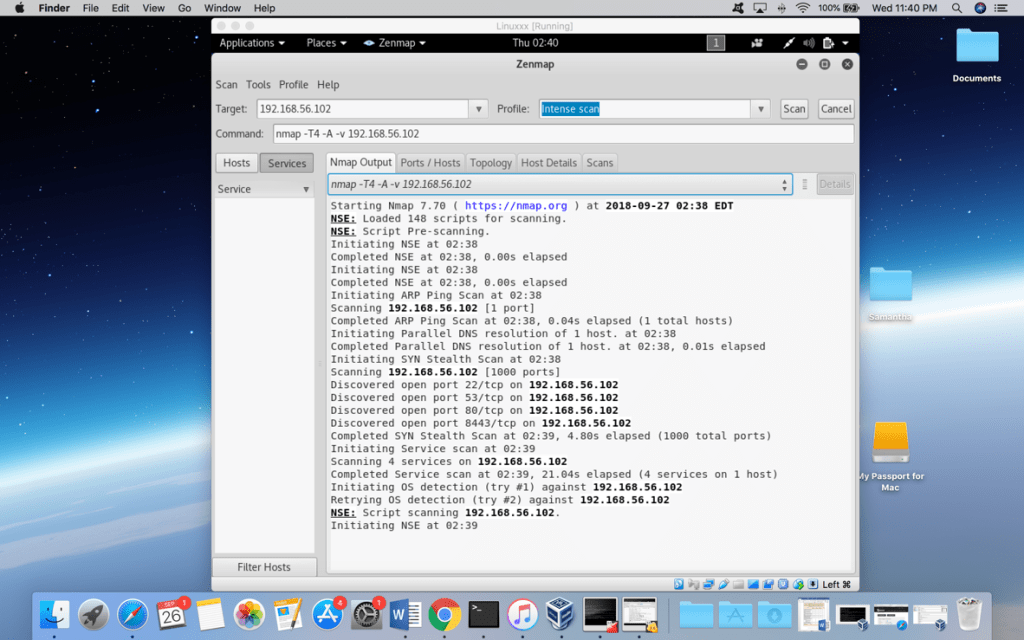
Nmap port scan after configuration
After configuring the Firewall, I completed a second Zenmap scan to note the differences after configuration. There are four open ports that were identified by the intense scan. The four ports include Port 22 for Secure Shell, Port 53 for DNS, Port 80 for HTTP and Port 8443 for HTTPS.
PFSense vulnerabilities
Multiple vulnerabilities have been identified within the remote installation of the PFSense firewall. The standard remote installation of the Firewall is not the latest security patched version 2.4 and is thus still susceptible to previous vulnerabilities. A vulnerability has also been identified in the FreeBSD kernel that the PFSense firewall has been built on. The FreeBSD Linux distribution reported a security concern where a remote user can send IP packets meant to trigger kernel panic which eventually causes the system to crash (Tennable, 2018). This network denial of service attack is a threat to out of date versions of the PFsense firewall. Another common vulnerability that is described in the National Vulnerability Database allows a remote user to trigger memory errors in the IPsec Authentication Header (NVD, 2018). The AH provides data integrity by confirming the source of the packet and it the damage caused by errors in the protocol is unpredictable (Techopedia, 2018). The best practice to protect remote PFSense firewall installations is to update the software within the PFsense web interface (Tennable, 2018).
References
NVD (2018). CVE-2017-5715 Detail. National Vulnerability Database. Retrieved From. https://nvd.nist.gov/vuln/detail/CVE-2017-5715
Techopedia (2018). Authentication Header. Techopedia. Retrieved From. https://www.techopedia.com/definition/25826/authentication-header-ah
Tenable (2018). pfSense < 2.4.3 Multiple Vulnerabilities (SA-18_01 / SA-18_02 / SA-18_03) (Meltdown) (Spectre). Tennable. Retrieved From. https://www.tenable.com/plugins/nessus/109038

 Digital UpRise
Leave a comment